
No photo? Try a real vintage sample:
Uploaded images are processed for restoration only and are not stored permanently.
2× upscale — great for sharing and printing
AI restoration rebuilds detail from your options (repair, faces, color, upscale). Drag the slider — the right side should look clearer and more complete.
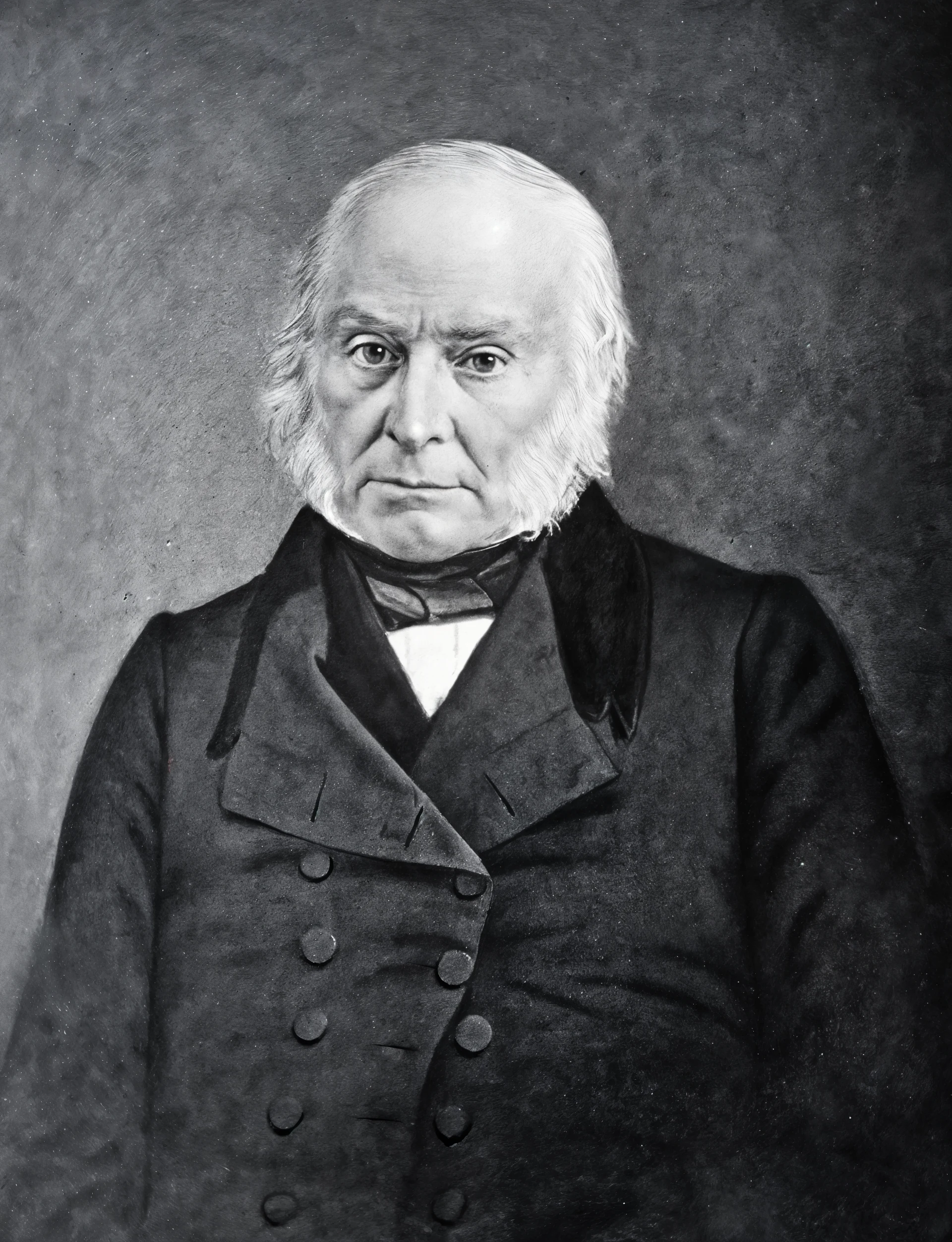
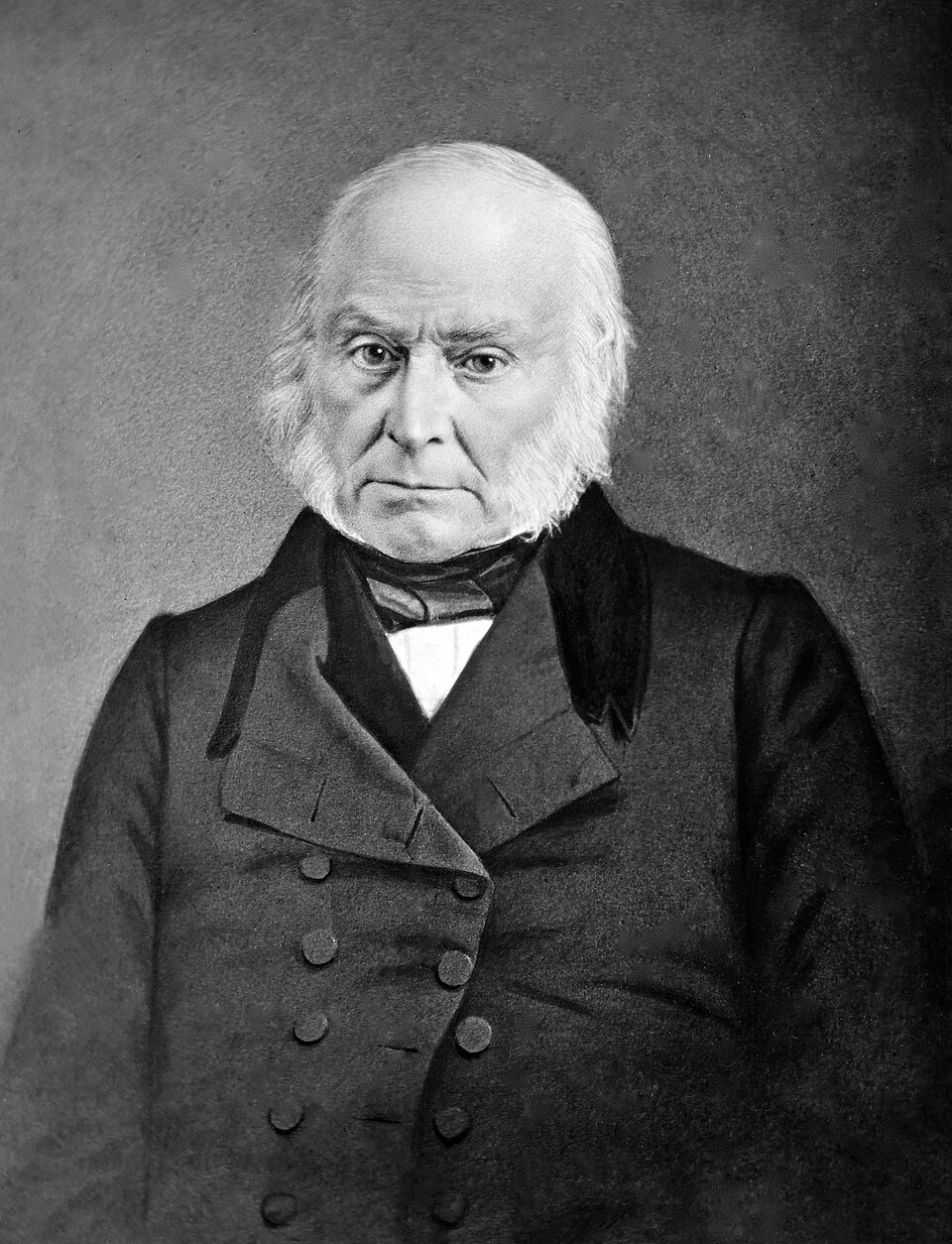
Drag slider to compare before & after
Example restoration on a damaged daguerreotype — upload yours for a similar result.
Restore Old Photos with AI in Your Browser
Bring faded, scratched, or water-damaged memories back to life. Repair damage, sharpen faces, optionally add color, and upscale — then compare results side by side before you download.
AI restoration rebuilds detail from your options (repair, faces, color, upscale). Drag the slider — the right side should look clearer and more complete.
See the difference — before & after
These demos use the same vintage samples from the uploader above. Drag each slider to compare the original with a restored version.
Damaged daguerreotype — detail recovered
Drag slider to compare before & after
Worn portrait — clarity restored


Drag slider to compare before & after
Blur and noise reduced; facial features and fabric detail look sharper.
Water damage — stains and blur improved


Drag slider to compare before & after
Staining and softness reduced for a cleaner, more printable result.
Sample results shown for illustration. Upload your own photo or pick a sample to restore yours in about 30–60 seconds.
Old photo restoration for every memory
Repair scratches and physical damage
Reduce scratches, stains, tears, and creases without manual retouching — ideal for albums and heirlooms.
Revive color in black & white photos
Optional colorization adds natural skin tones and lifelike hues while respecting the original scene.
Sharpen faces and fine detail
Bring back soft eyes, hair, and textures so portraits feel closer to how you remember them.
Upscale for print and sharing
Choose 1×, 2×, or 4× output so restored photos look crisp on screen, in frames, or in video projects.
Why use AI photo restoration?
One-click restoration
No Photoshop skills required. Upload, set options, and restore entirely in your browser.
Damage repair
Handles scratches, stains, tears, fading, blur, and noise common in aged prints and scans.
Face-friendly enhancement
Prioritizes faces and important detail so portraits stay natural, not over-processed.
Flexible upscale
Keep original size or upscale 2× or 4× — credit cost scales with output size and is shown upfront.
Before/after comparison
Interactive slider on the preview panel and showcase section so you can judge quality instantly.
Privacy first
Photos are processed securely for restoration only and are not permanently stored on our servers.
AI Photo Restore
How to restore old photos online
Upload your photo
Drag and drop or click to upload PNG, JPG, or WebP up to 10MB — or try a built-in vintage sample.
Choose restoration options
Turn on repair, face enhancement, colorization, and upscale strength to match your photo.
Preview the result
Use the before/after slider to inspect detail before downloading or sending to video.
Download or make video
Save the restored image in full resolution, restore again with different settings, or animate it with AI video.
Trusted by 100,000+ Users
“Family albums finally look presentable again. Scratches are much less visible and faces are sharper — exactly what I needed.”
Karen M.
Graphic designer

“I restored several faded pictures from the 1960s in one evening. The slider makes it easy to see what improved before I download.”
David J.
Retired teacher

Frequently asked questions
Restore your memories with AI
Upload a vintage photo, compare before and after, and download in minutes.