

AI Image Expander – Erweitern Du Fotos über Grenzen hinaus
Erweitern Du Fotos mit KI-Outpainting auf neue Seitenverhältnisse, wobei das Motiv erhalten bleibt und gleichzeitig glaubwürdige Hintergrunddetails erzeugt werden.
Melden Du sich an, um Dein Bild zu erweitern
Melden Du sich an, um Erweiterungen zu erstellen und Credits zu verwalten
Klicken Du zum Hochladen oder per Drag & Drop
JPG, PNG oder WebP – maximal 10 MB
Kein Foto? Versuchen Du es mit einem dichten Schnitt – perfekt zum Ausdehnen:
1.Zielseitenverhältnis
Weitere Größen
Unterstützt durch echte generative KI (Ideogram V3 Reframe). Die Generierung dauert normalerweise 30–90 Sekunden. Dein Foto wird nur zur Verarbeitung sicher über HTTPS gesendet.
Echtes KI-Ergebnis
Schmaler Strandausschnitt auf Breitbild erweitert
Gleiches Strandfoto – links ein hoher 1:2-Streifen, rechts ein AI-erweiterter 16:9-Breitbildschirm. Um Dein Original herum werden neuer Himmel, Ozean und Sand erzeugt.
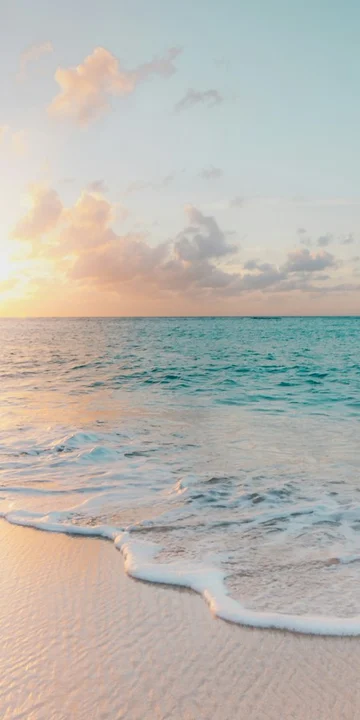
Original · 1:2-Streifen
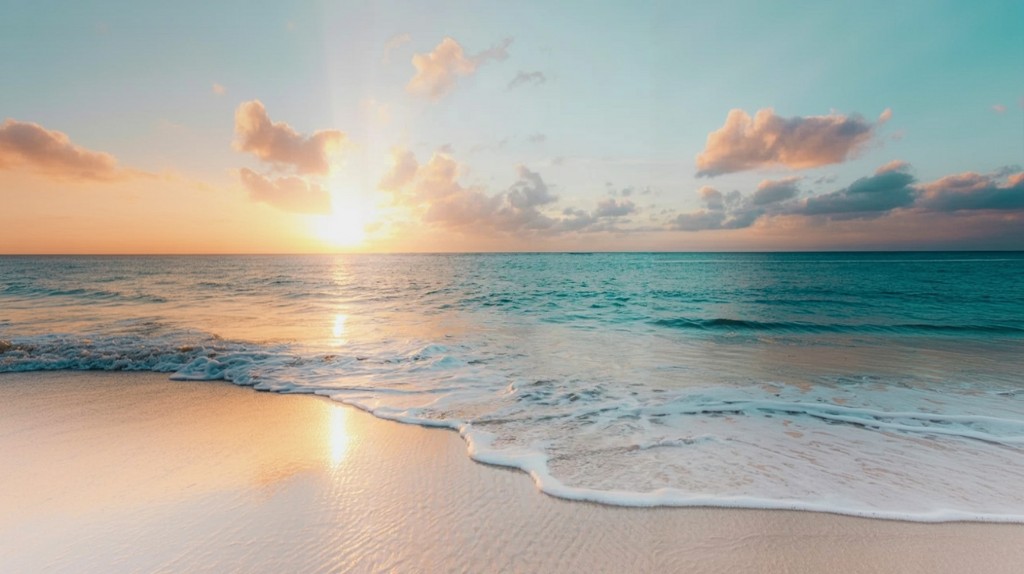
KI erweitert · 16:9
Erzeugt aus dem schmalen Strandbeispiel im Querformat 16:9 mit ausgeglichener Geschwindigkeit. Dein Motiv bleibt intakt, während neue Hintergrunddetails imaginiert werden.
Erweitern Du ein Foto in 3 einfachen Schritten
Laden Du Dein Foto hoch
Wählen Du per Drag & Drop oder Klicken ein beliebiges JPG-, PNG- oder WebP-Bild direkt von Deinem Gerät aus.
Wählen Du ein Verhältnis
Wählen Du eine Voreinstellung wie 16:9 oder 9:16 – dieser Expander unterstützt Quadrat, Hochformat, Querformat und mehr.
Laden Du Dein Ergebnis herunter
Real AI generiert Dein erweitertes Foto in etwa einer Minute und kann in voller Auflösung heruntergeladen werden.
Gebaut für echte KI-Qualität und jedes Seitenverhältnis
Echtes KI-Outpainting
Dieser Expander basiert auf Ideogram V3 Reframe und stellt wirklich neue Hintergrunddetails dar, anstatt nur Pixel zu verwischen und zu dehnen.
Sicher durch Design
Dein Foto wird über verschlüsseltes HTTPS übertragen und nur zur Generierung des von dir angeforderten Ergebnisses verwendet.
Beliebiges Seitenverhältnis
1:1, 4:5, 16:9, 9:16, 4:3 und mehr – ein Foto, jede Plattform.
Kreditbasierte Generierung
Nutzen Du Credits, um Erweiterungen zu erstellen und wählen Du einen Plan, der dem von dir benötigten Volumen entspricht.
Export in voller Auflösung
Laden Du Dein KI-generiertes Ergebnis direkt herunter, ohne unsererseits eine erzwungene Verkleinerung.
~30–90 Sekunden Ergebnisse
Die echte Generierung dauert hinter den Kulissen etwas Zeit – wir zeigen dir klare Fortschritte, damit Du immer wissen, was passiert.
Häufig gestellte Fragen
Verwandte Tools
Erstellen Du KI-Videos mit Pixwit
Verwandeln Du Eingabeaufforderungen und Bilder in filmische Clips mit Sora, Veo, Kling und mehr.